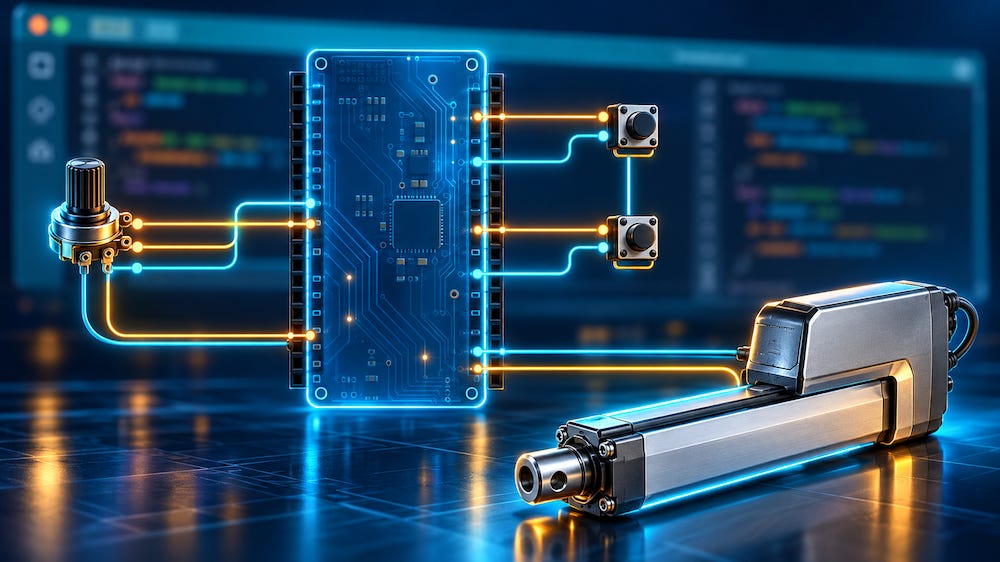
This application note grew out of a customer project to control a Thomson Electrak HD linear actuator through its SAE J1939 interface. Although the actuator supports both CANopen and SAE J1939, basic motion and speed control can be implemented using extended CAN frames with 29-bit identifiers, without a complete J1939 protocol stack. This approach simplifies development, particularly for programmers unfamiliar with CANopen. Requests from engineers worldwide prompted me to expand the original project into a practical guide sharing hardware information and Arduino source code.
Development revealed undocumented actuator and firmware behaviors that required software workarounds and caused significant delays. With limited programming guidance in the manufacturer’s manual and disappointing technical support, this application note fills important gaps through practical experience, examples, and links to further resources. It provides a starting point rather than a complete, customized solution. Readers remain responsible for understanding the technology and developing their applications, as individual troubleshooting and application-specific support are beyond its scope.
Table of Contents
Content will be added over time.
Introductory posts are available to everyone.
Posts with more detailed technical information are reserved for paid subscribers.
Before You Start That Development…
The Scope of this Application Note
The Thomson Electrac HD Linear Actuator
What is a Linear Actuator?
Download the User Manual
A Brief Introduction to CAN Bus and SAE J1939
Controller Area Network
SAE J1939
Controlling the Thomson Actuator
Manual Control
Software Control
Node Address Configuration
Sleep Mode
Actuator Control Message (ACM)
Actuator Feedback Message (AFM)
Safety Considerations
Testing Approach
Programming Hardware & Software
Arduino Due & Arduino IDE
Dual CAN Bus Interface
Control Connections
CAN Bus Connection
ARD1939 – SAE J1939 Protocol Stack for Arduino
CAN Bus & SAE J1939 Communication Protocol
Designing the ACM
Interpreting the AFM
Example Programs – Basic & Extended
Basic Version
Extended Version
Download Links
Hardware Connections & Programming Notes
General Aspects
Timer Control
Reading an Analog Signal from a Potentiometer
Reading Digital Signals (Switches, Pushbuttons)
Building the Actuator Control Message (ACM)
Handling the Actuator Feedback Message (AFM)
The Startup Sequence
Checking the CAN Bus Connection
Managing the Threshold Speed
Checking Motion End
Thomson Actuator – Oddities
CAN Bus Termination
Fatal Error Flag at Low Speed
Overload Flag at Power-Up
Multiple Actuators in the Same Network
Get Your Copy—Available as Ebook or Kindle