


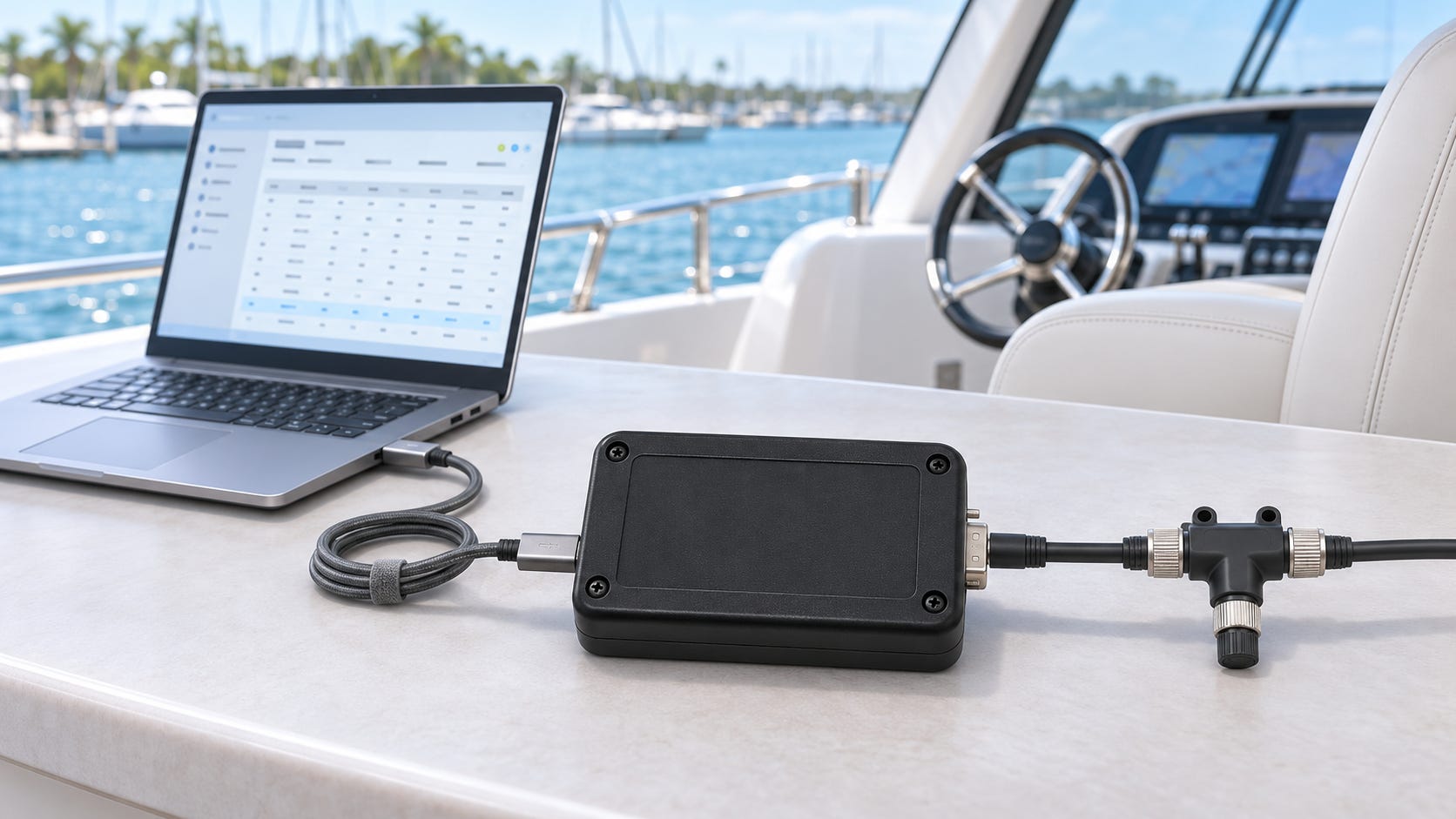
Looking back, I somewhat regret not taking a closer look at NMEA 2000 when I started developing JCOM1939. Our JCOM1939 Monitor software for Windows has grown considerably over the years, becoming a capable, affordable alternative to much more expensive tools on the market. Building something similar for NMEA 2000 would have been a rewarding opportunity.
The main obstacle at the time was the cost of entry. NMEA’s pricing policy, including membership and the substantial cost of obtaining the NMEA 2000 standard, put that initial investment beyond my development budget. For a small operation, those expenses matter—especially before writing the first line of application-specific code.
Still, some of the work already invested in JCOM1939 can be useful on an NMEA 2000 network. Our USB and Bluetooth gateways, together with JCOM1939 Monitor, provide a starting point for observing network traffic. Understanding where that approach helps, and where its limitations begin, is the subject of this post.
When a marine instrument stops displaying information, the first question is often straightforward: Is the data still arriving on the network? Before investigating the meaning of individual parameters, it helps to establish whether the equipment is transmitting at all.

This is where our JCOM1939 gateways, available with USB or Bluetooth connectivity, can provide a useful starting point. Together with the JCOM1939 Monitor software for Windows, they offer a way to inspect network traffic at the PGN and data-byte level.
In my previous post, I discussed the differences between SAE J1939 and NMEA 2000. Here, I want to focus on a practical application of their shared foundation: using a J1939 monitoring tool to observe NMEA 2000 communication, while recognizing the limits of that approach.
What monitoring can tell you
You do not always need a fully decoded display to learn something useful about a network. Seeing which PGNs arrive, which source addresses transmit them, and whether their data changes can help narrow down a problem.
Consider an instrument that no longer shows a sensor reading. Monitoring can help establish whether the expected PGN is present. If it is missing, the investigation can turn toward the transmitting device, its configuration, power supply, or network connection. If the PGN is present, the next step is to examine its contents and determine why the receiving instrument does not use or display it.
Neither result provides an automatic diagnosis. However, both give you a more useful direction than simply knowing that the display is blank.
Filtering is particularly helpful on a busy network. Once you know the PGN associated with the information you are investigating, you can concentrate on that traffic instead of watching an uninterrupted stream of unrelated messages. JCOM1939 Monitor provides PGN filtering as part of its existing monitoring functions.
USB or Bluetooth?
The choice between USB and Bluetooth primarily concerns the connection between the gateway and the Windows computer. The purpose of the monitoring remains the same.
USB provides a direct connection for work near the network access point. Bluetooth offers more freedom to position the laptop without running a USB cable between it and the gateway. The gateway itself still requires a physical connection to the CAN network and the appropriate power supply.
Bluetooth should not be confused with automatic compatibility with marine apps. In this application, the gateway works with JCOM1939 Monitor on Windows. Connecting a phone or tablet requires software that specifically supports the gateway’s communication interface.
Use monitoring mode
For this application, the objective is to observe existing traffic. Keep the gateway in its listen-only monitoring mode rather than enabling ECU simulation or other transmitting functions.
The JCOM1939 gateway protocol provides a listen-only operating mode that does not require a source address or perform an address claim. It also uses receive filters to determine which traffic is forwarded to the host computer, so those filters must be configured appropriately. An empty display does not necessarily mean an empty network.
Functions intended for active J1939 communication should not be assumed to work as NMEA 2000 functions. In particular, monitoring existing messages is a different task from requesting information, configuring marine devices, or participating as a fully implemented NMEA 2000 node.
Raw data requires interpretation
The main consideration is that receiving a message does not mean understanding its contents.
A PGN and its hexadecimal data bytes can confirm that traffic exists. Turning those bytes into heading, temperature, tank level, or another engineering value requires the correct NMEA 2000 parameter definitions. The interpretation must account for field positions, scaling, units, and special values indicating unavailable or invalid data.
JCOM1939 Monitor’s J1939 functionality does not automatically supply those marine definitions. Likewise, a familiar-looking PGN or data pattern is not sufficient reason to interpret the payload using a J1939 parameter description.
Manufacturer-specific messages introduce another limitation. Their presence may be visible, but understanding their contents can require documentation from the equipment manufacturer.
Longer messages need additional handling
Some NMEA 2000 information spans several CAN frames using Fast Packet transport. Without NMEA 2000-specific reassembly, those frames remain separate pieces of a longer message.
They can still show that communication is taking place, but the complete payload must be reconstructed before its fields can be interpreted reliably. Existing J1939 transport-protocol support should not be mistaken for NMEA 2000 Fast Packet support.
This distinction matters when deciding what you expect from the monitor. Observing traffic is useful in its own right; displaying complete, decoded marine messages requires additional software capabilities.
Check the connection and configuration
The physical connection deserves as much attention as the software. A J1939 connector is not interchangeable with an NMEA 2000 connector merely because both networks use CAN.
Use a correctly wired adapter or cable, verify the gateway’s power requirements, and preserve the existing backbone and termination arrangement. Adding a monitoring connection should not introduce an unnecessary terminating resistor.
NMEA 2000 operates at 250 kbit/s. The gateway must operate at that rate, and the gateway firmware and monitor must preserve the complete PGN, including its data-page information. Compatibility should be checked with the particular hardware, firmware, and software versions being used.
It is also worth distinguishing message monitoring from electrical troubleshooting. A message display cannot show signal quality, reflections, or voltage problems in the way an oscilloscope can. Receiving traffic does not prove that every aspect of the physical network is healthy.
A practical additional use
I see this as an additional application for our existing JCOM1939 USB and Bluetooth gateways. For someone who already uses these tools, inspecting marine network traffic can be a useful extension of familiar equipment.
The value lies in answering practical questions: Is a device transmitting? Is the expected PGN present? Does the data change when the measured condition changes? Where should the investigation go next?
A raw monitor will not answer every NMEA 2000 question. But establishing what is actually being transmitted is often a productive first step toward finding the answer.