


This article is part of CAN Bus Embedded Development, my growing online book about practical CAN Bus hardware, software, and embedded system development.
View the complete Table of Contents →
When developing an embedded CAN Bus application, it is tempting to start with two boards, connect them, and use serial output to see whether messages arrive. That is a reasonable first experiment. However, once communication fails or the network grows, serial output alone becomes a frustrating way to troubleshoot.
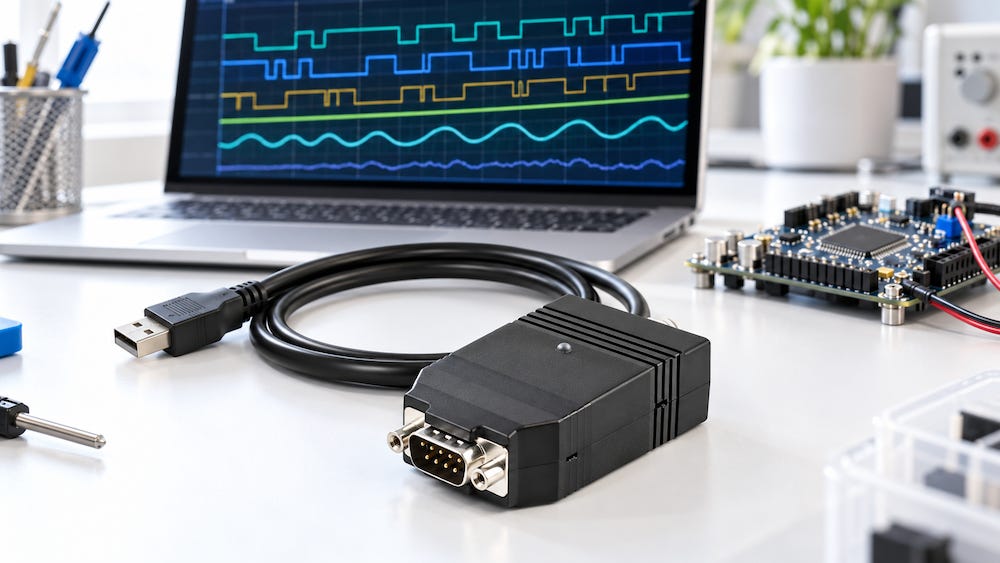
Your firmware can tell you what it intended to transmit. A CAN monitoring system helps you determine what actually appeared on the bus. That distinction makes it an essential part of embedded CAN development.
Looking Beyond Your Own Firmware
An embedded application sees the network through its own hardware, drivers, filters, and software. If a message does not appear in your application, several explanations are possible: the transmitting device never sent it, your acceptance filter rejected it, the receive queue overflowed, or your code interpreted it incorrectly.
A separate CAN monitor provides an independent observation point. It allows you to check whether the expected identifier and data are present before spending hours changing application code.
For example, suppose your controller should receive a temperature value every 100 milliseconds. If the monitor shows the correct message at the expected interval, you can focus on your receiver. If the message is missing or irregular, the investigation moves toward the transmitter or the network.
That simple separation can save considerable development time.
Successful Transmission Does Not Prove Correct Operation
A CAN controller handles essential communication functions, including arbitration, error detection, and retransmission. However, it does not know whether your application selected the correct message identifier, placed a value in the correct bytes, or transmitted at the required interval.
A message can be perfectly valid at the CAN level and still be wrong for the application.
Typical mistakes include:
Using the wrong identifier or frame format.
Reversing byte order.
Applying incorrect scaling or offsets.
Sending outdated data.
Transmitting too frequently or too slowly.
Misinterpreting signed values.
A monitor exposes the identifier, data length, and payload so you can compare the actual traffic with the intended message definition. An analyzer with suitable decoding support can also translate those bytes into meaningful application values.
Timing Is Part of the Interface
Embedded communication is about more than transferring the right bytes. Those bytes must also arrive when the receiving application expects them.
A message scheduled every 100 milliseconds may appear reliable during a simple test but become irregular when the processor starts handling sensors, displays, storage, and other tasks. Blocking code, queue delays, and competing traffic can all affect communication timing.
Timestamped monitoring helps reveal these problems. You can inspect message intervals, identify missing updates, and see whether a particular operation coincides with a delay.
Timing analysis also helps distinguish application scheduling problems from delays caused by bus arbitration. Under load, higher-priority CAN messages gain access before lower-priority messages. A useful test therefore includes realistic network traffic, not just one transmitter sending into a mostly idle bus.
Network Problems Can Look Like Software Problems
Incorrect bit rates, missing termination, wiring faults, and transceiver problems can prevent communication even when the application code is correct.
A basic traffic display helps establish whether readable messages are present. More capable tools can report controller error states, error frames, or other diagnostic information, depending on their hardware and software.
These capabilities matter because repeated transmission attempts or a controller entering bus-off may otherwise look like an application that has simply stopped working.
There are limits, though. A CAN monitor does not automatically replace an oscilloscope. Signal integrity problems may require direct inspection of the electrical signals. Traffic analysis and electrical measurements answer different questions, and sometimes both are necessary.
Higher-Layer Protocols Need More Context
With protocols such as SAE J1939, examining individual CAN frames is only the beginning.
A J1939 identifier contains information such as message priority, the Parameter Group Number, and the source address. Depending on the message, a destination address is also involved. Some data transfers span multiple CAN frames and require transport protocol handling.
A general CAN monitor can display the underlying frames. A protocol-aware analyzer can make development considerably easier by presenting information in the terms your application uses.
For J1939 development, that may include address claims, requests, diagnostic messages, and reassembled multipacket transfers. Seeing that context helps explain why an application behaves incorrectly even when individual frames appear valid.
CANopen presents a similar challenge. Its communication includes Process Data Objects (PDOs) for process data, Service Data Objects (SDOs) for accessing the object dictionary, and Network Management (NMT) messages for controlling device states.
A CANopen-aware analyzer helps you interpret these exchanges, monitor heartbeats, and identify emergency messages. For example, a device may communicate successfully through SDOs but send no PDOs because it has not entered the operational state. Seeing the protocol context helps you recognize that condition instead of searching for a fault in your CAN driver.
Recording Makes Problems Reproducible
Some communication failures occur only after hours of operation or during a particular sequence of events. Watching a live display is unlikely to capture enough detail to explain them.
Recording traffic with timestamps creates a record you can examine afterward. You can look at the messages preceding a fault, compare successful and unsuccessful runs, and share evidence with another developer.
Where supported, replay adds another useful capability: repeating a captured traffic sequence while testing firmware changes. Replay requires care because a recording does not reproduce every aspect of a live network, including the behavior of devices that normally respond to messages. Nevertheless, it can make many application problems much easier to reproduce.
A Monitor Can Change the Network
One detail deserves attention: a monitoring interface may participate in CAN communication.
In normal operating mode, a CAN controller can acknowledge correctly received frames even when its application is only displaying traffic. Consequently, connecting a monitor can change the behavior of a test setup.
For example, a lone transmitting device may encounter acknowledgment errors when no other active node is present. Adding a monitor in normal mode can supply the acknowledgment and make those errors disappear.
Listen-only mode is useful when you need to observe traffic without acknowledging frames or transmitting error flags. However, the network still needs another active receiver to acknowledge transmissions. Understanding this distinction prevents the monitoring tool itself from hiding a problem.
Make Monitoring Part of Development
For embedded CAN development, I consider a monitoring interface part of the basic workbench. Use it from the first communication test, while the firmware is still simple and the expected traffic is easy to understand.
Start by verifying identifiers and payloads. Then check timing, observe behavior under realistic load, and record the communication surrounding faults. If you are working with J1939 or another higher-layer protocol, suitable decoding support can reduce the amount of manual interpretation.
The purpose is straightforward: establish what the network is doing so you can make informed decisions about your firmware. Without that visibility, CAN development too easily becomes a cycle of changing code and hoping the next test behaves differently.
Follow CAN Bus Embedded Development
New chapters and technical material are added regularly. Subscribe to receive new additions as the online book continues to grow.
View the complete Table of Contents →

Making Embedded Systems: Design Patterns for Great Software
Interested in developing embedded systems? These systems leave little room for inefficiency and require a disciplined approach to programming. This easy-to-read guide helps you develop good programming practices using classic software design patterns alongside patterns specific to embedded development. You’ll learn how to design system architectures around processors rather than operating systems and discover techniques for addressing hardware challenges, evolving designs, and manufacturing requirements.
Written by an expert who has developed systems ranging from DNA scanners to children’s toys, this book is ideal for intermediate and experienced programmers, regardless of platform. This expanded second edition includes new chapters on IoT and networked sensors, motors and movement, debugging, data handling strategies, and more.
Optimize your system to reduce costs and improve performance
Develop an architecture that makes your software robust in resource-constrained environments
Explore sensors, displays, motors, and other I/O devices
Reduce RAM usage, power consumption, code size, and processor cycles
Learn to interpret schematics, datasheets, and power requirements
Discover how to implement complex mathematics and machine learning on small processors
Design effective embedded systems for IoT and networked sensors