


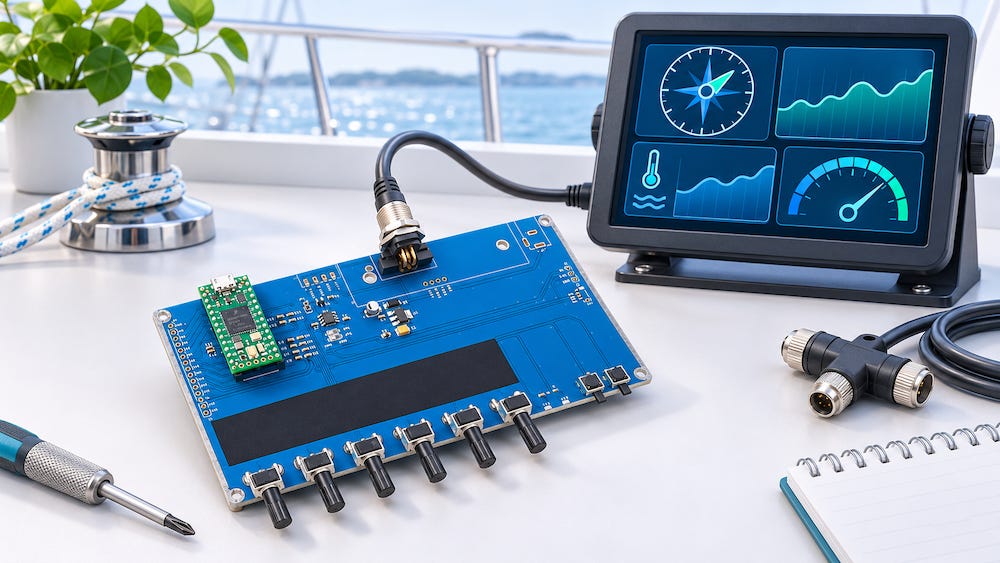
One of the awkward things about developing marine electronics is that the equipment you need for testing may be sitting in a marina. You can power up a display on your workbench, inspect its menus, and admire its screen. But without incoming data, you have only answered the easiest question: Does it switch on?
The more useful questions come afterward. Does the engine speed indication follow changing RPM? Does the application interpret wind data correctly? Is an unexpected reading caused by the receiving software or by the data source?
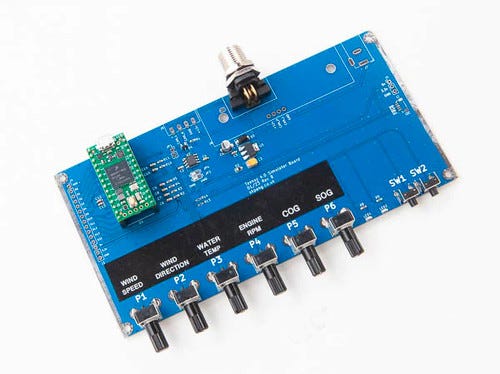
My preferred approach is to make the input something I can control. That is where a device such as the Teensy 4.0 NMEA 2000 Simulator from Copperhill Technologies, becomes useful.
Give the display something to display
The simulator comes with a Teensy 4.0 installed and programmed. Its hardware includes six rotary potentiometers, two push-buttons, and a Micro-C connection for the NMEA 2000 network. Turning a knob provides a convenient way to change simulated values while watching the receiving equipment respond. The product documentation lists messages for environmental parameters, wind data, engine speed, and course and speed over ground.
Consider a simple development task: You are writing an application that displays engine RPM. A stationary value proves that your application can receive and display something. Changing that value lets you investigate much more.
Does the indication update smoothly? Does the application apply the correct scaling? Does switching between display units affect anything it should not? If you have implemented an alarm threshold, does the alarm appear and clear at the intended values?
For these checks, a knob on the workbench is a remarkably convenient substitute for asking someone to operate an engine.
Turn troubleshooting into a controlled experiment
Suppose a marine display powers up but shows no engine speed. On an installed system, several explanations might be possible. The expected data may be absent, the display may be configured incorrectly, or there may be a communication problem.
I would begin by reducing the number of unknowns. Build a small test network, connect the simulator and the receiving device, and select a message that the receiver supports. Then change one value and observe the result.
If the display responds, you have evidence that it can receive and interpret that message under those conditions. If it does not, you have a smaller system to investigate.
That distinction matters. Troubleshooting becomes much easier when every test answers a specific question. Changing settings at random can keep you occupied for an entire afternoon without making you any better informed.
Start with one useful test
I would resist the temptation to simulate everything at once. Start with a single quantity, such as engine RPM, and define what a successful result should look like.
Check several values across the range relevant to your application. Record the expected and displayed readings. Repeat the same checks after changing your software. Once that works, move on to another supported quantity.
The test network still needs the appropriate power, cabling, and termination. I would also verify the exact PGN and data fields expected by the receiving device before spending time investigating an apparent failure. A simulator and a display must agree on what information they are exchanging.
Adapt the source to the project
The firmware is open source, and the manufacturer provides an Arduino-style demonstration sketch. This gives developers a starting point for adapting the transmitted data to a particular application.
For example, I might want a value to follow a programmed sequence rather than depend on a manually adjusted knob. A repeatable sequence would let me compare application behavior before and after a software change.
That requires firmware work, including checking message definitions and transmission timing. Still, having access to the source code makes the simulator more useful as development progresses beyond the supplied demonstration.
Simulation and PGN Control
The simulator generates a set of predefined Parameter Group Numbers (PGNs) — the unique identifiers used in NMEA 2000 messaging. These PGNs are essential for transmitting different types of data over the CAN-based NMEA 2000 network.
This unit enables interactive control over eight PGNs, offering both real-time variability and fixed value toggling:
Six PGNs are linked to rotary potentiometers, allowing analog adjustment of their data fields. For example, as the user rotates the knob, the simulated value for wind speed or engine RPM changes accordingly.
Two PGNs are controlled by onboard push-buttons, suitable for toggling digital states such as engine status or heading lock.
The currently supported PGNs include:
PGN 130310 – Environmental Parameters (e.g., Water Temperature): Simulates real-time changes in seawater temperature, allowing you to test temperature-sensitive systems such as chillers or alarms.
PGN 130306 – Wind Data: Adjusts wind speed and direction to evaluate performance of instruments like wind gauges or sailing computers.
PGN 127488 – Engine Parameters, Rapid Update: Sends live engine RPM values, useful for validating engine monitoring displays and alarms.
PGN 129026 – COG & SOG, Rapid Update: Simulates course over ground and speed over ground to test navigation and autopilot systems.
The firmware is open-source, giving developers the flexibility to customize or expand the set of PGNs. Additional data types—such as fuel flow, heading, or AIS targets—can be added with minor code modifications. This openness makes the device suitable for both basic functionality checks and complex system development.
Know what the result tells you
A successful bench test establishes something valuable, but specific: Your equipment handled the simulated messages under the conditions you tested.
It does not establish that an entire installation will behave correctly aboard a vessel. Installation wiring, power conditions, other network participants, and the behavior of real sensors introduce additional variables.
I see the simulator as a way to resolve the basic questions early. Get the data reception working. Verify the interpretation. Exercise the display behavior. Then approach installation testing with fewer unanswered questions.
A boat is an excellent place to use marine electronics. For debugging the first version of your software, I would rather have a workbench, a controlled data source, and a cup of coffee that stays where I put it.