


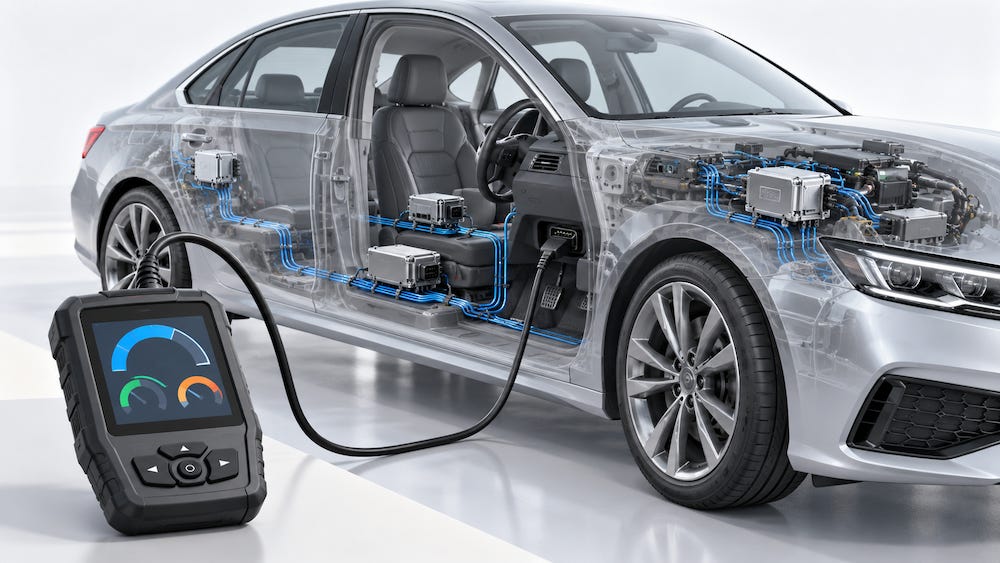
Over the years, I have received numerous inquiries about possible OBD-II applications. Some involve straightforward data logging, such as recording engine speed, coolant temperature, or vehicle speed. Others start with a considerably broader assumption: connecting a CAN Bus interface to the OBD-II socket will provide access to the vehicle’s internal communications and allow the user to control certain functions.
That assumption confuses a physical connector, a diagnostic communication standard, and the networks responsible for operating the vehicle. They are related, but understanding their different roles is essential before choosing hardware or writing software.
One symptom of this misunderstanding is surprisingly common: someone connects a CAN Bus interface to the diagnostic socket, starts monitoring, and sees no data. The immediate suspicion is that the interface or software is defective. However, a silent connection can be entirely consistent with the way diagnostic access works.
What OBD-II Provides
OBD-II, short for On-Board Diagnostics II, provides standardized access to emissions-related diagnostic information. Depending on what the vehicle supports, this includes current operating values, diagnostic trouble codes, freeze-frame data captured when a fault occurred, and the status of emissions monitoring tests.
Its value lies in standardization. A compatible scan tool can request an operating parameter without needing a separate definition of that parameter for every vehicle manufacturer. Engine speed, for example, has a standardized parameter identifier and a defined method for converting the returned bytes into RPM.
However, this standardized access has a defined scope. OBD-II does not provide a universal command set for operating windows, switching lights, controlling steering, or otherwise directing the vehicle’s normal functions.
It is also more accurate to describe OBD-II as a diagnostic system and interface than as a separate diagnostic network. On vehicles that use CAN for OBD-II communication, diagnostic messages travel over CAN. Earlier OBD-II implementations used other communication technologies. OBD-II and CAN are therefore not interchangeable terms.
Why Listening May Produce No Data
Conventional OBD-II readings follow a request-and-response model. The diagnostic tool asks for information, and an appropriate electronic control unit responds.
For example, a tool requesting engine speed sends a diagnostic request identifying the service and parameter it wants to read. The ECU returns a response containing the requested value, provided that the parameter is supported and the request can be processed.
A continuously updating RPM display usually results from repeated requests. The scan tool keeps asking for fresh readings and updates its display as responses arrive. Connecting the tool does not cause the vehicle to begin broadcasting every available OBD-II parameter automatically.
This matters when using a general-purpose CAN interface. An interface configured only to receive messages does not generate diagnostic requests. If no other tool is making those requests, there may be no OBD-II responses to observe.
Of course, an empty receive window alone does not establish the cause. Incorrect CAN settings, wiring problems, ignition state, and other configuration issues can also prevent communication. The important point is that diagnostic data should not be expected merely because a cable has been connected.
The Vehicle’s Normal CAN Traffic
During normal operation, vehicle controllers exchange messages to coordinate their work. An engine controller may transmit information used by the instrument cluster, transmission controller, or other modules. Depending on the function, messages may be sent periodically or in response to events.
Those messages serve a different purpose from standardized OBD-II requests and responses. Even when both contain engine speed, the CAN identifier, byte positions, scaling, and other details may differ.
Consequently, knowing the OBD-II parameter identifier for engine speed does not tell you where engine speed appears in the manufacturer’s ordinary CAN messages.
CAN defines how frames are communicated. It does not, by itself, define what each payload means. Interpreting the vehicle’s normal traffic generally requires manufacturer-specific information or reverse engineering.
A screen full of CAN frames is therefore not the same thing as a screen full of recognizable OBD-II parameters.
What the Diagnostic Socket Exposes
The diagnostic socket is an access point. Its presence does not guarantee unrestricted visibility into every network inside the vehicle.
Some vehicles expose ordinary CAN traffic at the connector. In that situation, a passive monitor may receive numerous messages without sending anything. Other vehicles provide diagnostic access through a gateway that controls communication between the external tool and internal networks. Ordinary operating traffic may not be forwarded to the diagnostic connection.
This explains why a monitoring setup can produce a busy receive window on one vehicle and remain silent on another.
Neither behavior changes the fundamental purpose of standardized OBD-II communication. The connector’s accessibility should not be mistaken for a guarantee that the vehicle’s internal networks are equally accessible.
Diagnostics Can Include Commands
Describing OBD-II as diagnostic access does require one qualification: diagnostics is not exclusively about reading information.
Standardized diagnostic services include actions such as clearing emissions-related diagnostic trouble codes and resetting associated diagnostic information. Manufacturer-specific diagnostic systems can go further, supporting actuator tests, service routines, configuration, and other workshop functions.
However, these capabilities should not be confused with a universal OBD-II vehicle control interface. A professional tool that activates a component during a service test may be using manufacturer-specific diagnostic commands, additional protocols, and authorization procedures.
The fact that such a tool uses the same physical socket does not mean its functions are available through ordinary standardized OBD-II parameter requests.
Why the Available Explanations Often Fall Short
Much of the introductory OBD-II material a newcomer encounters concentrates on trouble-code interpretation. Other resources provide parameter tables, conversion formulas, or software examples that produce a useful reading with a few lines of code.
Those resources can be helpful, but they often begin after an essential explanation has been skipped: how the diagnostic exchange actually works.
A table explaining a fault code does not explain who transmits the request. A list of parameter identifiers does not explain CAN addressing. A library function that returns RPM may conceal message construction, response handling, timing, and transport details.
The formal documentation exists. SAE J1979 and ISO 15031-5 describe diagnostic services for conventional emissions-related OBD communication, while other standards address the underlying communication and transport mechanisms. These documents serve as engineering specifications, however, rather than a guided introduction.
The educational gap is therefore not a complete absence of documentation. It is the difficulty of finding a clear explanation that connects the diagnostic connector, CAN communication, diagnostic requests, and returned data before moving on to code tables and programming examples.
Start with the Intended Application
For a project that records supported operating values, standardized OBD-II requests may be exactly the right approach. The application needs to determine which parameters the vehicle supports, request them at suitable intervals, and interpret the responses.
For a project intended to examine the vehicle’s normal CAN communications, the task is different. It requires determining which traffic is accessible and obtaining the information needed to decode it.
For a project intended to control vehicle functions, the requirements are different again. Neither a CAN interface nor an OBD-II cable supplies the necessary command definitions simply by being connected.
Before selecting a board or downloading a software library, establish which of these applications you are actually building. OBD-II offers useful standardized diagnostic access. Understanding the scope of that access is the first step toward making the application work.
BLCKTEC 460T OBD2 Scanner & Car Code Reader

The BLCKTEC 460T combines standard OBD-II diagnostics with vehicle-specific access to systems such as the engine, transmission, ABS, and airbags. It supports all 10 OBD-II modes, reads and clears diagnostic trouble codes, displays freeze-frame information, and checks emissions readiness. Users can view, graph, record, and replay live data, overlaying up to four data streams for comparison. Automatic vehicle identification and scanning simplify setup, while supported service functions include oil maintenance resets, ABS bleeding, electronic parking brake resets, steering angle sensor calibration, battery initialization, and throttle body relearn.
The scanner pairs with the subscription-free RepairSolutions2 app to provide scan reports, verified repair information, maintenance schedules, technical service bulletins, and recall details. It also includes free lifetime updates and U.S.-based support in English and Spanish. Intended for use in the United States and Canada, the 460T supports many OBD-II-compliant vehicles from 1996 onward, but system coverage and service functions vary by year, make, and model. Check BLCKTEC’s compatibility information before purchasing to confirm support for your vehicle and the specific functions you need. More information…