


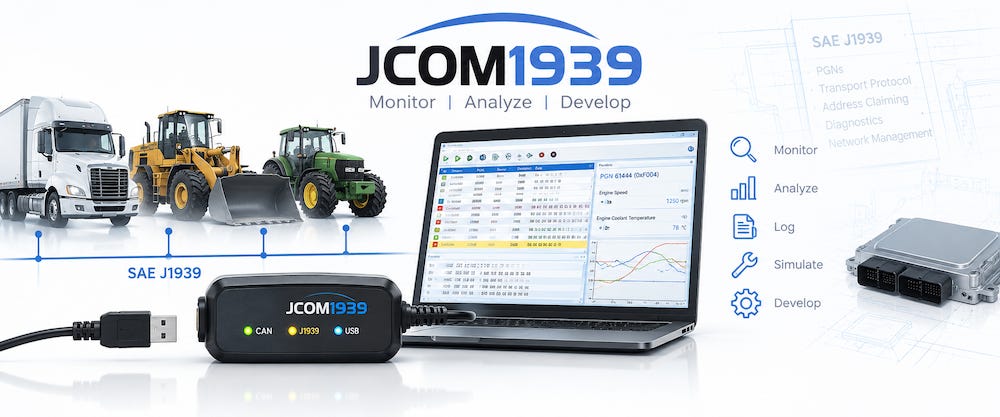
Working with SAE J1939 involves much more than simply connecting a CAN interface and watching data frames appear on a screen.
Developers need to understand Parameter Group Numbers (PGNs), source addresses, destination addresses, network management, Address Claiming, diagnostic messages, the Transport Protocol, error handling, and the behavior of individual Electronic Control Units (ECUs). When something does not work as expected, understanding the protocol is often just as important as having the right hardware and software tools.
That is the idea behind JCOM1939.com.
The website has grown beyond being simply a home for the JCOM1939 Monitor software. My goal is to develop it into a practical technical resource for engineers, programmers, technicians, students, and anyone else working with SAE J1939 networks.
It combines technical articles, engineering notes, software documentation, programming information, development hardware, and a community forum with the JCOM1939 Monitor software and JCOM1939 gateway family.
Learning and Understanding SAE J1939
The SAE J1939 standards define a sophisticated higher-layer protocol built on Controller Area Network (CAN). Understanding the individual CAN frames is only the beginning.
Real-world J1939 development introduces questions such as:
How does an ECU claim its network address?
What happens when two ECUs attempt to use the same address?
How are messages longer than eight bytes transmitted?
How does the Transport Protocol work?
How should a device respond to Request messages?
What happens when CAN communication errors occur?
How can an ECU be simulated during development when the actual vehicle or machine is not available?
These are exactly the kinds of subjects addressed at JCOM1939.com.
The site includes technical articles and engineering notes covering SAE J1939 development, CAN Bus behavior, diagnostics, network management, Address Claiming, Transport Protocol operation, ECU simulation, troubleshooting, and related embedded-development subjects.
Rather than limiting the information to descriptions of JCOM1939 products, the objective is to explain what is actually happening on the network and why.
The JCOM1939 Monitor Software
At the center of the development environment is the JCOM1939 Monitor software for Windows.
The software works with JCOM1939 gateway hardware to provide a practical environment for monitoring, recording, analyzing, transmitting, and simulating SAE J1939 network traffic.
For basic network analysis, the Monitor can display received J1939 messages and filter traffic according to PGNs. But monitoring is only one part of its purpose.
The software can also be used to define J1939 messages for transmission, send messages once or periodically, generate Request messages, respond to requests, scan a J1939 network, and simulate ECUs.
ECU simulation is particularly valuable during development. Instead of requiring a complete vehicle or machine for every software test, developers can reproduce portions of the network on the workbench. A simulated ECU can be assigned its own NAME, preferred address, and address-negotiation parameters and participate in the J1939 network like another node.
This makes the Monitor useful not only for troubleshooting existing networks but also for developing and testing new J1939 products.
From CAN Frames to J1939 Network Behavior
One of the goals behind JCOM1939 is to bridge the gap between looking at raw CAN frames and understanding the higher-level J1939 behavior they represent.
A CAN analyzer is an indispensable engineering tool, but a raw CAN trace does not automatically explain why an ECU transmitted a particular message or how that message fits into the J1939 protocol.
For example, an Address Claim is not simply another 29-bit CAN frame. It is part of a network-management procedure governed by the ECU’s J1939 NAME and address-selection rules.
Likewise, a sequence of Transport Protocol frames represents much more than a collection of CAN packets. The individual frames belong to a coordinated transfer that may use BAM or a peer-to-peer RTS/CTS session.
JCOM1939.com therefore places considerable emphasis on explaining the relationship between the specification, the software implementation, and the CAN Bus traffic that can actually be observed.
JCOM1939 Gateway Hardware
The JCOM1939 Monitor works in combination with dedicated J1939 gateway hardware.
These gateways are designed specifically for SAE J1939 rather than functioning merely as generic USB-to-CAN adapters. Important J1939 functions are handled by the gateway firmware, reducing the amount of protocol management that must be performed by the host computer or embedded application.
The gateway architecture supports J1939 network management, including Address Claiming, as well as the J1939 Transport Protocol used for transferring messages that exceed the normal eight-byte CAN data field.
Communication with the host uses a documented serial protocol. This is important because the gateway hardware is not restricted to use with the Windows Monitor software.
Developers can integrate a JCOM1939 gateway into their own applications and embedded systems.
A Documented Programming Interface
For developers building their own software, JCOM1939.com provides information about the programming interface used to communicate with the gateways.
Because communication takes place through a serial connection, applications do not have to depend on a proprietary operating-system-specific API merely to access the hardware.
Programming examples are available for languages including C, C++, and C#, making it possible to use the gateway as part of a custom Windows, Linux, Raspberry Pi, or other embedded application.
This creates two distinct ways of using the JCOM1939 ecosystem.
An engineer can use the ready-to-run JCOM1939 Monitor for network analysis, testing, and simulation, or use the documented gateway interface as the foundation for a completely independent application.
Development, Simulation, and Troubleshooting
The combination of software and gateway hardware creates a useful development environment on the workbench.
A developer can monitor an existing J1939 network, record its traffic, generate selected PGNs, simulate another ECU, issue Request messages, investigate Address Claiming, and observe how actual devices respond.
That becomes particularly useful when troubleshooting.
When an ECU does not appear on a network, for example, the problem may involve wiring or termination—but it could also involve Address Claiming, configuration, baud rate, CAN controller errors, or the behavior of another node.
The ability to observe both J1939 traffic and the underlying CAN network behavior can greatly reduce the amount of guesswork involved.
Documentation and Engineering Notes
Software and hardware are useful only when developers understand how to use them effectively.
For that reason, JCOM1939.com also maintains documentation for the JCOM1939 Monitor and gateway hardware, along with troubleshooting information and more detailed engineering notes.
Some subjects require considerably more explanation than belongs in a conventional user manual. CAN error counters, Bus-Off behavior, Silent or Listen-Only operation, Address Claiming, and similar subjects benefit from understanding the underlying CAN and J1939 mechanisms.
These topics are therefore increasingly being addressed through dedicated technical articles and engineering notes rather than simply adding more pages to a software manual.
The result is intended to become a growing technical library rather than static product documentation.
The J1939 Community
Another important part of JCOM1939.com is the J1939 Community.
The community forum provides a place for engineers, developers, students, hobbyists, and JCOM1939 users to ask questions, discuss technical issues, share experiences, and suggest improvements.
Discussion areas include SAE J1939 development, the JCOM1939 Monitor, installation and configuration, monitoring and data analysis, ECU simulation, the ARD1939 protocol stack, feature requests, and troubleshooting.
The community also provides an important feedback mechanism.
Documentation can explain how something was designed to work. Real users often uncover different questions: an unusual ECU response, an Address Claim problem, a network configuration that behaves unexpectedly, or a feature that would make development easier.
Those discussions can subsequently lead to additional documentation, engineering notes, software improvements, or entirely new development topics.
More Than a Product Website
Ultimately, that is the direction I want JCOM1939.com to take.
It is certainly the home of the JCOM1939 Monitor software and JCOM1939 gateway technology, but its purpose is broader.
I want it to become a practical SAE J1939 knowledge center where someone can arrive with a question about J1939, learn how the underlying technology works, find practical examples, obtain the necessary development tools, and discuss problems with others working in the same field.
SAE J1939 can appear intimidating when first encountered. There are many standards documents, numerous protocol mechanisms, and a considerable difference between understanding the specification and successfully implementing it in an embedded system.
JCOM1939.com is intended to help bridge that gap.
Whether you are learning SAE J1939 for the first time, developing a new ECU, analyzing vehicle network traffic, building an embedded J1939 application, or troubleshooting an existing system, the site is designed to provide both the technical information and the practical tools needed to move the project forward.
And it will continue to grow as new software features, engineering notes, programming examples, development tools, and community discussions are added.