


This article is part of CAN Bus Embedded Development, my growing online book about practical CAN Bus hardware, software, and embedded system development.
View the complete Table of Contents →
Developing a CAN bus application requires more than writing code and connecting a few wires. You need tools to program your device, observe its communication, and verify that it behaves as intended. The right setup helps you identify whether a problem originates in your application, the CAN configuration, or the network itself.
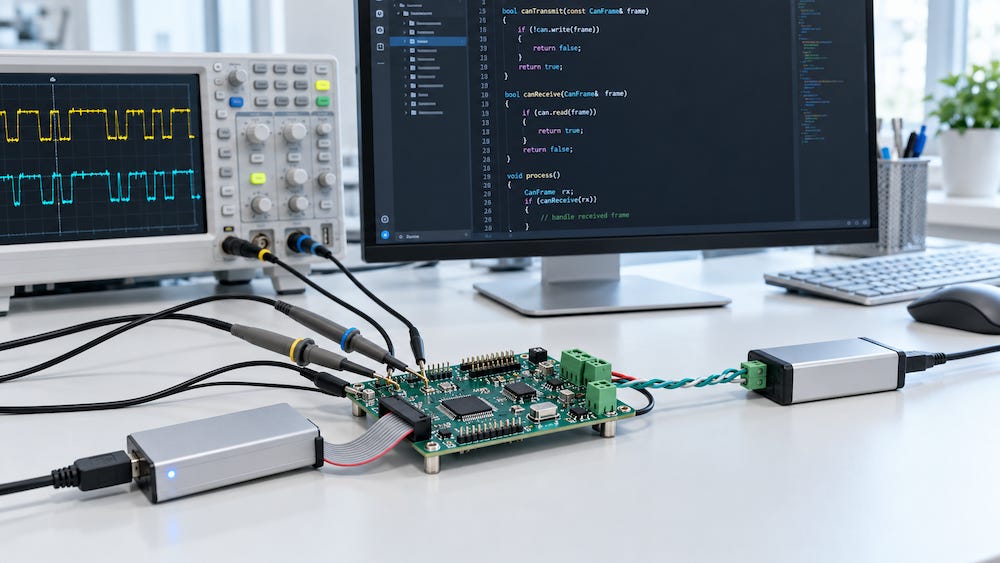
The basic development environment consists of two parts: a CAN monitoring and analysis interface with its accompanying software, and a programming environment for the target device. These tools serve different purposes, but they work together throughout development and troubleshooting.
CAN Monitoring and Analysis
A CAN interface, sometimes called a gateway in this context, connects your development computer to the CAN network. Its software allows you to observe transmitted messages, send test messages, and record traffic for later examination.
The depth of analysis depends on the software. Basic tools display CAN identifiers and data bytes. More advanced applications can interpret signals, evaluate message timing, or support higher-layer protocols such as SAE J1939 and CANopen.
An independent monitoring interface is particularly useful when testing your own firmware. Your application may report that it transmitted a message, but observing the network provides a separate way to check the identifier, data, and transmission interval.
The Programming Environment
The programming environment provides the tools needed to write, build, download, and debug your application. Its form depends on the target platform.
For a microcontroller, this generally includes an editor, compiler, board support, CAN drivers or libraries, and a method for loading the firmware. Depending on the hardware, a debugger may also allow you to inspect variables and follow program execution.
On a computer running an operating system, CAN development involves the operating system’s drivers and programming interfaces, together with the tools used to build the application. The underlying task remains similar: configure the interface, exchange CAN messages, and handle communication reliably.
Familiarity matters here. A development environment you understand can help you make progress faster, provided it gives you access to the CAN functions your application requires.
The Physical Test Network
Software tools need a suitable network to work with. CAN-capable hardware, compatible transceivers, correct wiring, proper termination, and a suitable power supply form the foundation of the test setup.
A second CAN node provides a communication partner. During early development, the monitoring interface can often serve that role by receiving and acknowledging messages or transmitting test traffic, provided it is configured for active operation.
For more demanding troubleshooting, an oscilloscope can help examine electrical signals that a message-monitoring application cannot show. It becomes useful when the problem concerns signal quality rather than message content.
Building a Practical Setup
A useful development setup should let you answer three questions: Is my program running correctly? What is actually happening on the CAN bus? Does that traffic match the intended behavior?
The programming environment helps answer the first question. The monitoring interface and its software help answer the second. Comparing the results provides the basis for answering the third.
In the following chapters, I will explain the reasons for using these tools, how they support development and troubleshooting, and what to consider when selecting them. I will also provide a brief market analysis of the available options, with more detailed discussions of individual topics in separate posts.

Making Embedded Systems: Design Patterns for Great Software
Embedded systems demand disciplined programming. Limited memory, processing power, and energy budgets make efficient design essential. This accessible guide helps you develop sound programming practices through established software design patterns and techniques tailored to embedded applications. You’ll learn to build software architectures around the capabilities of the processor and hardware, while addressing changing designs, hardware limitations, and manufacturing requirements.
Drawing on experience developing products ranging from DNA scanners to children’s toys, the author offers practical guidance for intermediate and experienced programmers across platforms. This expanded second edition adds chapters on IoT and networked sensors, motors and motion, debugging, data handling, and more.
Balance cost, performance, and resource requirements.
Build robust software architectures for resource-constrained systems.
Work with sensors, displays, motors, and other input/output devices.
Reduce RAM usage, code size, power consumption, and processor workload.
Interpret schematics, datasheets, and power requirements.
Implement complex mathematics and machine learning on small processors.
Design embedded systems for IoT and networked sensor applications.